How Do I Change Chains in my Wallet?
Last updated: November 20, 2026
To see your funds, you might need to change chains. It's simple to do!
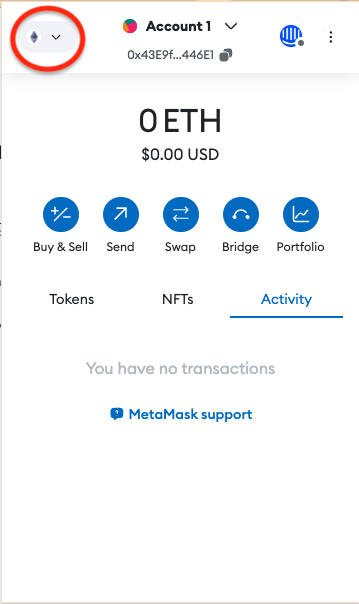
Open your MetaMask wallet, and click the upper left hand corner icon. It'll pop up with options to change chains.
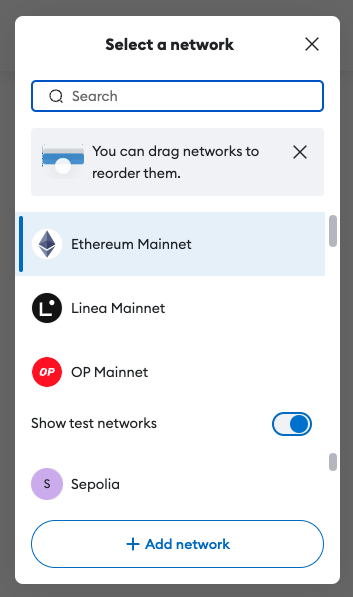
To add a network that is not in your wallet yet, use your wallet's option to add a custom network and enter the chain's details. You can find the correct chain information typically on the official website for a chain.